

Description
Download User Agent Switcher – Free Windows Browser Tool for Testing, Debugging & Compatibility
Overview
User Agent Switcher is a lightweight, free (GPL‑licensed) utility that lets web developers, QA testers, and curious users instantly change the user‑agent string reported by their browser. By masquerading as another browser or operating system, you can see how a website renders on Chrome, Firefox, Safari, mobile devices, or even legacy platforms such as Windows 98. Created by Chris Pederick and available exclusively for Windows, the tool has been downloaded more than 21,000 times since its addition to our catalog in 2011. The current stable build, version 0.7.2, was last updated on July 18 2011 and runs on Windows 98 and newer versions. Its small footprint (under 1 MB) makes it an ideal companion for developers who need a quick, secure way to test cross‑browser compatibility without installing multiple browsers or virtual machines. Whether you’re debugging CSS quirks, checking SEO metadata, or simply curious about how your site looks on an older platform, User Agent Switcher provides a fast, reliable solution that integrates directly into your existing browser environment.
Key Features
- Instant User‑Agent Switching: Choose from a comprehensive list of predefined agents covering desktop, mobile, and legacy browsers.
- Custom Agent Profiles: Add your own user‑agent strings for specialized testing scenarios.
- One‑Click Activation: Switch agents directly from the toolbar or context menu without restarting the browser.
- Lightweight Design: The installer is under 1 MB and consumes minimal RAM, keeping your system fast.
- GPL Open‑Source License: Free to use, modify, and redistribute, ensuring transparency and community support.
- English Interface: Clear, straightforward UI designed for both beginners and power users.
- Compatibility Mode: Works seamlessly with Internet Explorer, the browser it primarily targets, but can be used with other browsers via extensions.
These features combine to make User Agent Switcher a versatile tool for anyone who needs to verify how a website behaves under different client conditions. Because it does not install a full browser, you avoid the overhead of multiple installations, saving both disk space and time. The open‑source nature also means security patches can be contributed by the community, keeping the tool secure and up‑to‑date even though the last official release dates back to 2011.
Installation, Usage & Compatibility
Step‑by‑Step Installation
- Download the User Agent Switcher installer (the file is a small
.exe). - Run the installer; it will prompt for the installation folder (default is
C:\Program Files\UserAgentSwitcher). - Accept the GPL license agreement and click Install. The process takes less than a minute.
- When installation completes, click Finish. The tool will automatically add a toolbar button to Internet Explorer.
How to Use the Tool
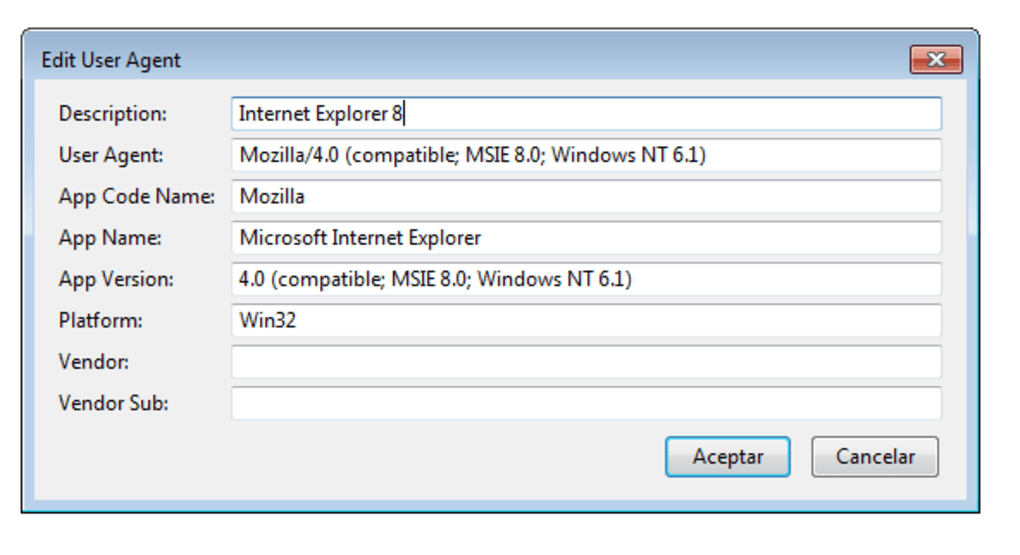
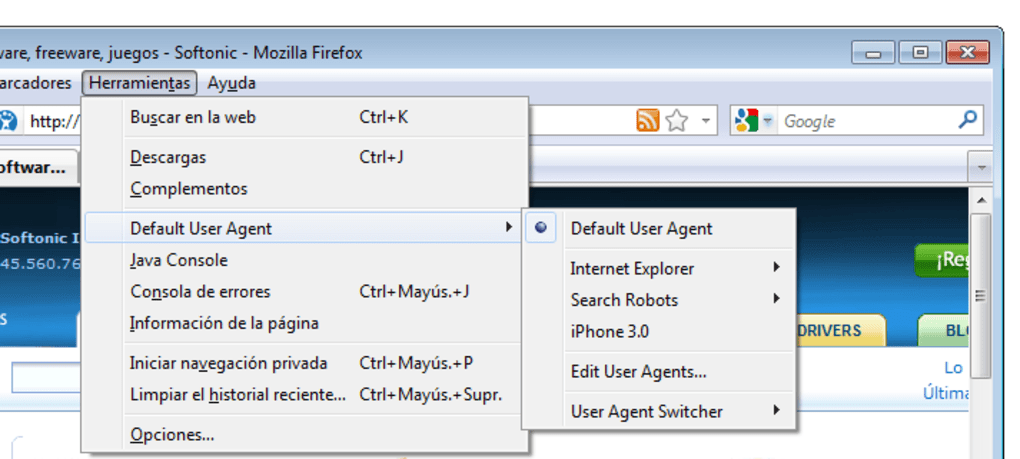
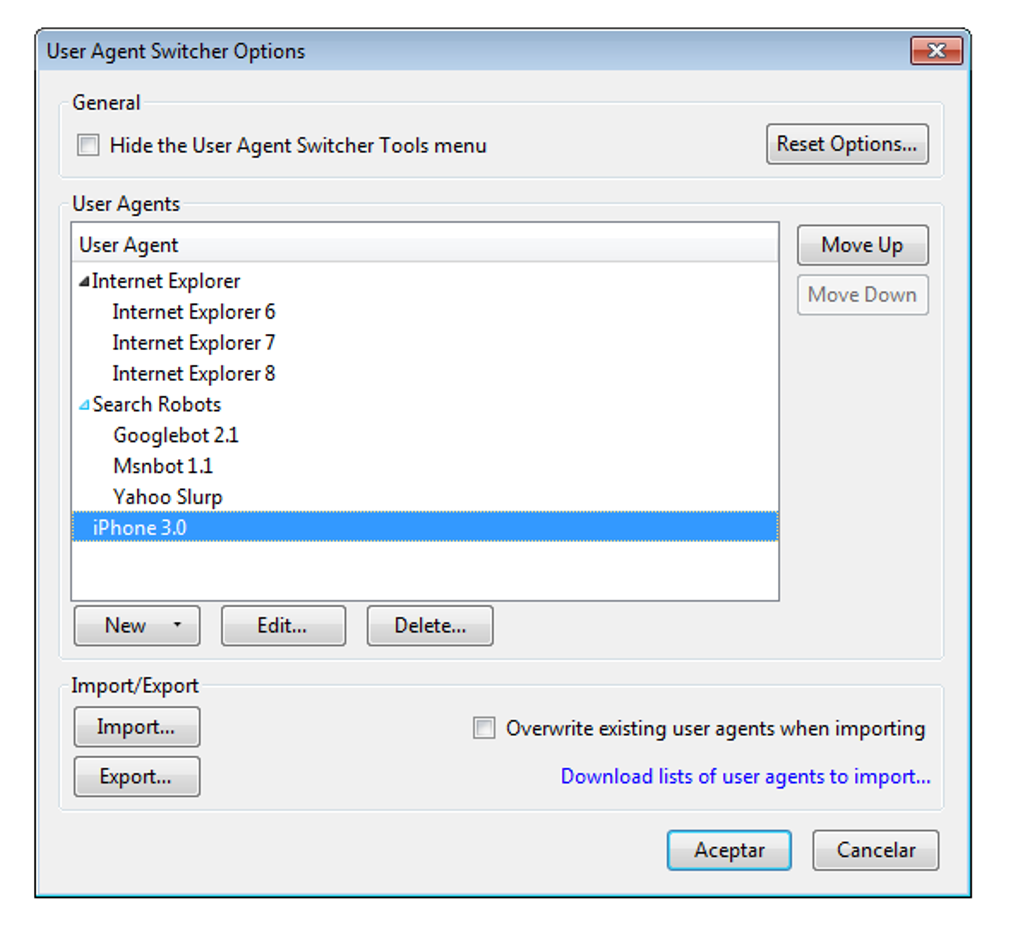
After installation, locate the new User Agent Switcher icon in the IE toolbar. Clicking the icon opens a dropdown menu listing popular agents such as “Chrome – Windows 10”, “Safari – iOS 14”, and “Firefox – Linux”. Select the desired profile, and the browser will reload the current page using the chosen user‑agent string. To revert to the default Windows IE string, simply choose “Default – Windows”. For custom strings, open the Options window from the dropdown, paste your string into the text field, give it a recognizable name, and save. The next time you need that custom profile, it will appear alongside the predefined options.
System Requirements & Operating System Support
User Agent Switcher is built for the Windows family. It runs on Windows 98, Windows 2000, Windows XP, Windows Vista, Windows 7, and newer editions up to Windows 11 (though the UI was originally designed for older versions). Because the program only modifies the HTTP header sent by the browser, it does not depend on modern OS features, making it exceptionally stable on legacy machines. Minimum requirements are:
- Processor: 500 MHz or faster
- RAM: 128 MB (the program itself uses less than 10 MB)
- Disk Space: 2 MB for installation
- Internet Explorer 6 or later (the toolbar integrates directly with IE)
While the official distribution targets IE, developers can use the generated user‑agent strings with other browsers (Chrome, Firefox, Edge) by manually editing their developer tools or using third‑party extensions that accept custom strings.
Conclusion – Pros, Cons, FAQ & Call to Action
Pros & Cons
- Pros
- Free, open‑source, and GPL‑licensed.
- Very small download size and low memory usage.
- Instant switching without restarting the browser.
- Supports custom user‑agent entries for niche testing.
- Works on legacy Windows versions, making it ideal for testing older environments.
- Cons
- Only officially integrates with Internet Explorer; other browsers need manual configuration.
- Last official update was in 2011, so the UI feels dated.
- Lacks advanced features such as device emulation or viewport resizing.
Frequently Asked Questions
Is User Agent Switcher safe to download?
Yes. The software is released under the GPL license, hosted on reputable mirrors, and does not contain adware or spyware. Always verify the checksum if you download from a third‑party site.
Can I use the tool on Chrome or Firefox?
Officially the toolbar works only with Internet Explorer. However, you can copy any user‑agent string generated by the program and paste it into Chrome’s or Firefox’s developer tools (Network → User‑Agent) or use a compatible extension.
Do I need an internet connection to switch agents?
No. The switcher works locally by modifying the HTTP header before the request is sent. An internet connection is only required to load the website you are testing.
How do I create a custom user‑agent string?
Open the Options window from the toolbar dropdown, click “Add New”, enter a name, paste the full user‑agent string (e.g., “Mozilla/5.0 (iPhone; CPU iPhone OS 14_0 like Mac OS X) …”), and save. The new profile appears in the main list.
Is there a portable version that doesn’t require installation?
The official distribution is an installer, but the source code is available on GitHub. Advanced users can compile a portable version by following the build instructions.
Final Verdict & Call to Action
User Agent Switcher remains one of the most straightforward, no‑frills solutions for quick user‑agent testing on Windows machines. Its open‑source nature, minuscule footprint, and ability to operate on legacy systems give it a niche advantage over modern, heavyweight emulation tools. While the UI feels dated and integration is limited to Internet Explorer, the core functionality—changing the browser’s identity with a single click—still saves developers hours of setup time. If you need a free, secure, and easy‑to‑use method to preview your site on older browsers or mobile devices, this tool is worth a download.
Download User Agent Switcher now and start testing instantly. Remember to keep a backup of your default settings, and enjoy hassle‑free cross‑browser debugging!
Guides & Tutorials for User Agent Switcher
How to install User Agent Switcher
- Click the Preview / Download button above.
- Once redirected, accept the terms and click Install.
- Wait for the User Agent Switcher download to finish on your device.
How to use User Agent Switcher
This software is primarily used for its core features described above. Open the app after installation to explore its capabilities.
User Reviews for User Agent Switcher 0
No reviews found





